


Change coupon/cash benefit option
This option enables you to change your existing coupon/cash benefit arrangement.
- You may choose to either accumulate your coupon/cash benefit with us to earn non-guaranteed interest or receive it as a payout. Any changes you make will be applied to future coupon/cash benefits on your policy and will take effect once we have processed your request.
- For more details, please refer to your policy contract or contact your Representative for assistance. To change your coupon/cash benefit option after your policy is issued, please use our customer portal, MyManulife, or the Manulife SG App.
1. Log in to your account via MyManulife or the Manulife SG App.
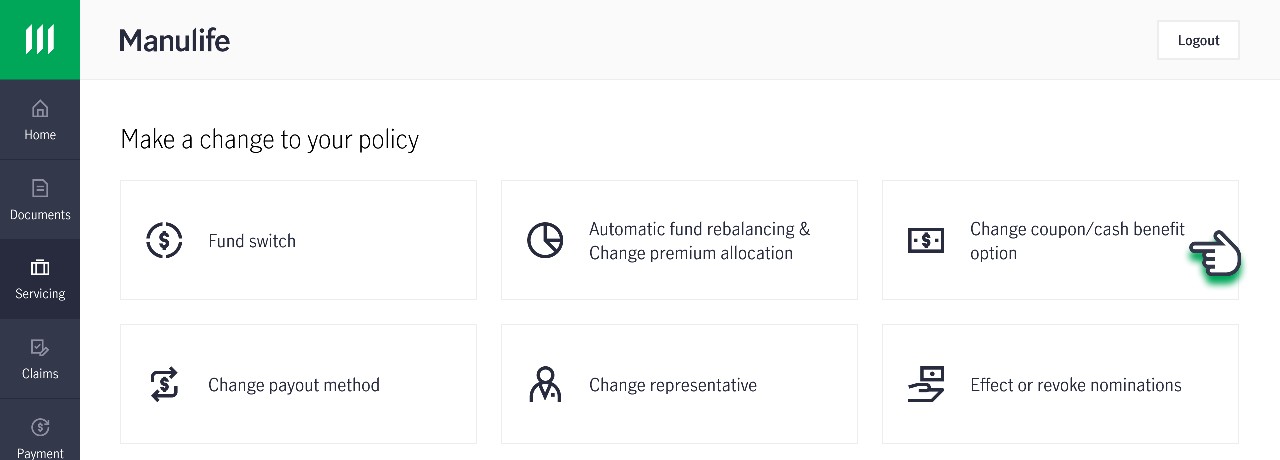
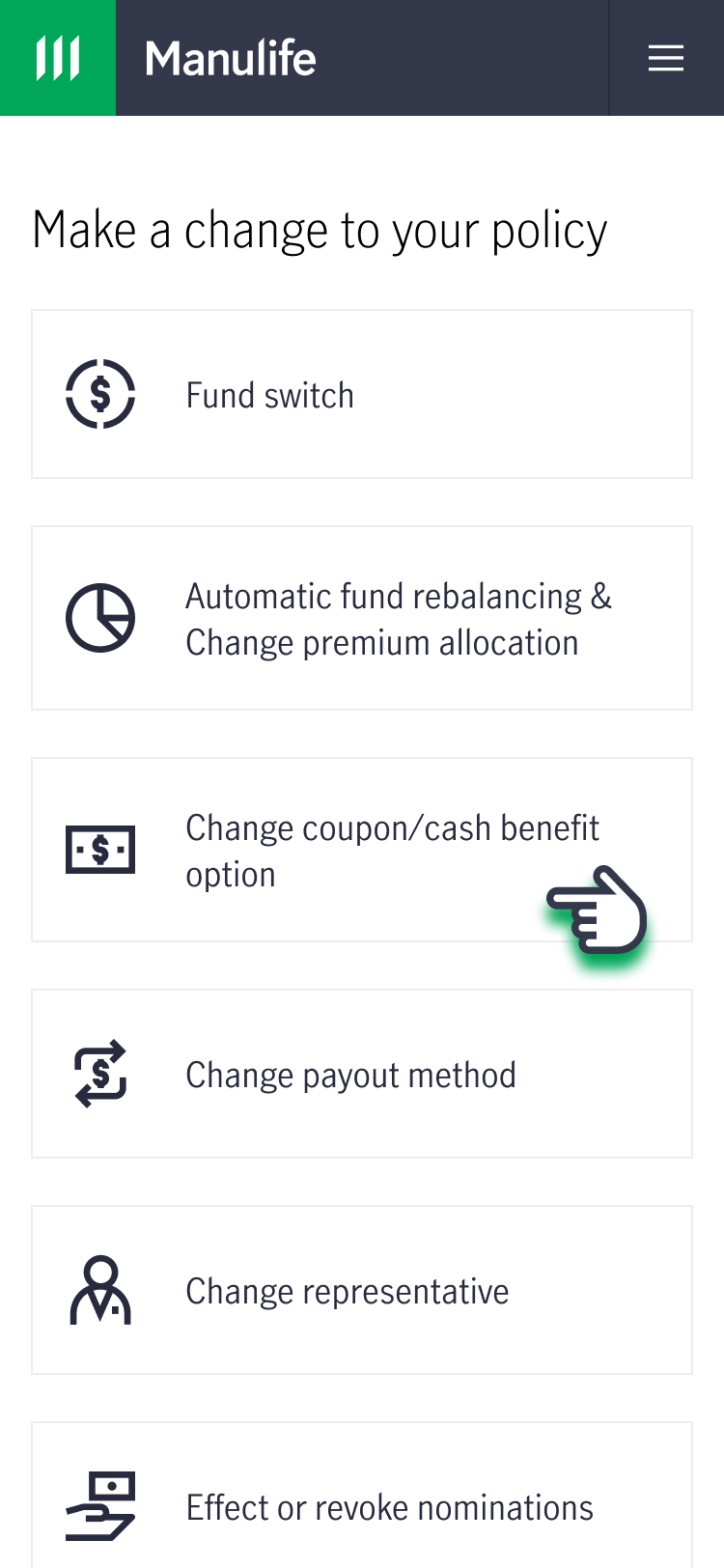
2. Click on the “Services” tab, under “Make a change to your policy”, click on “Change coupon/cash benefit option".
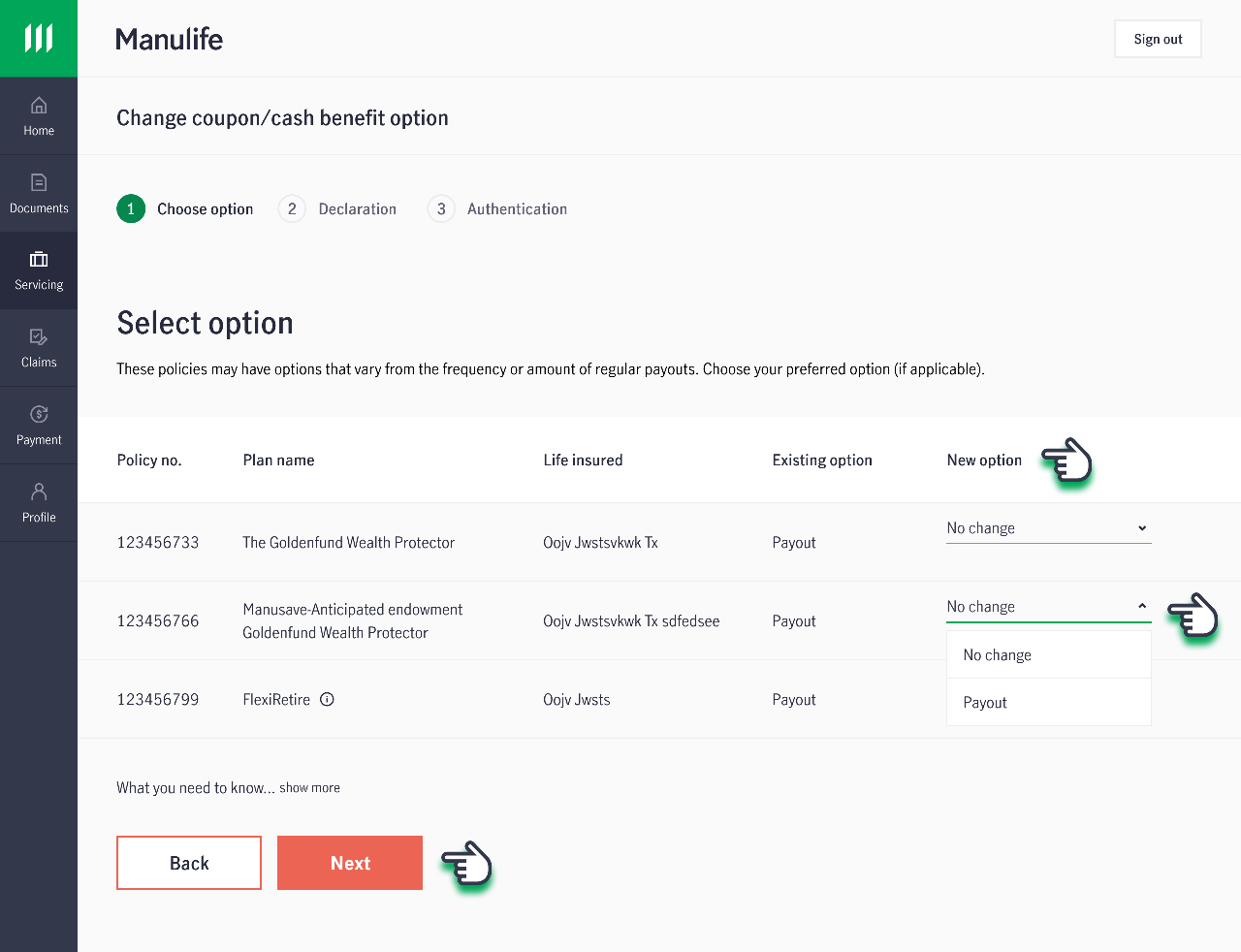
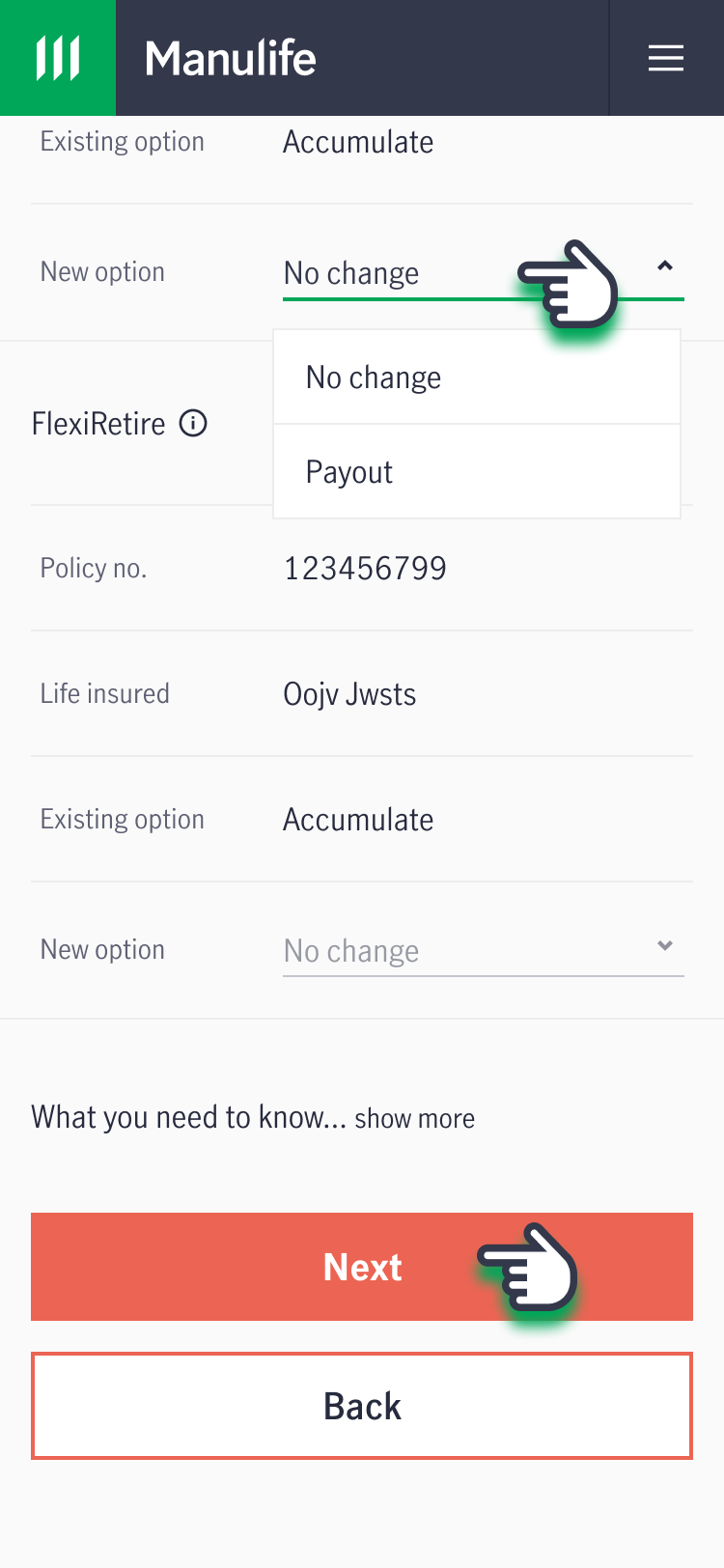
3. Under "New option", select the preferred option for the required policy(ies) and click "Next".
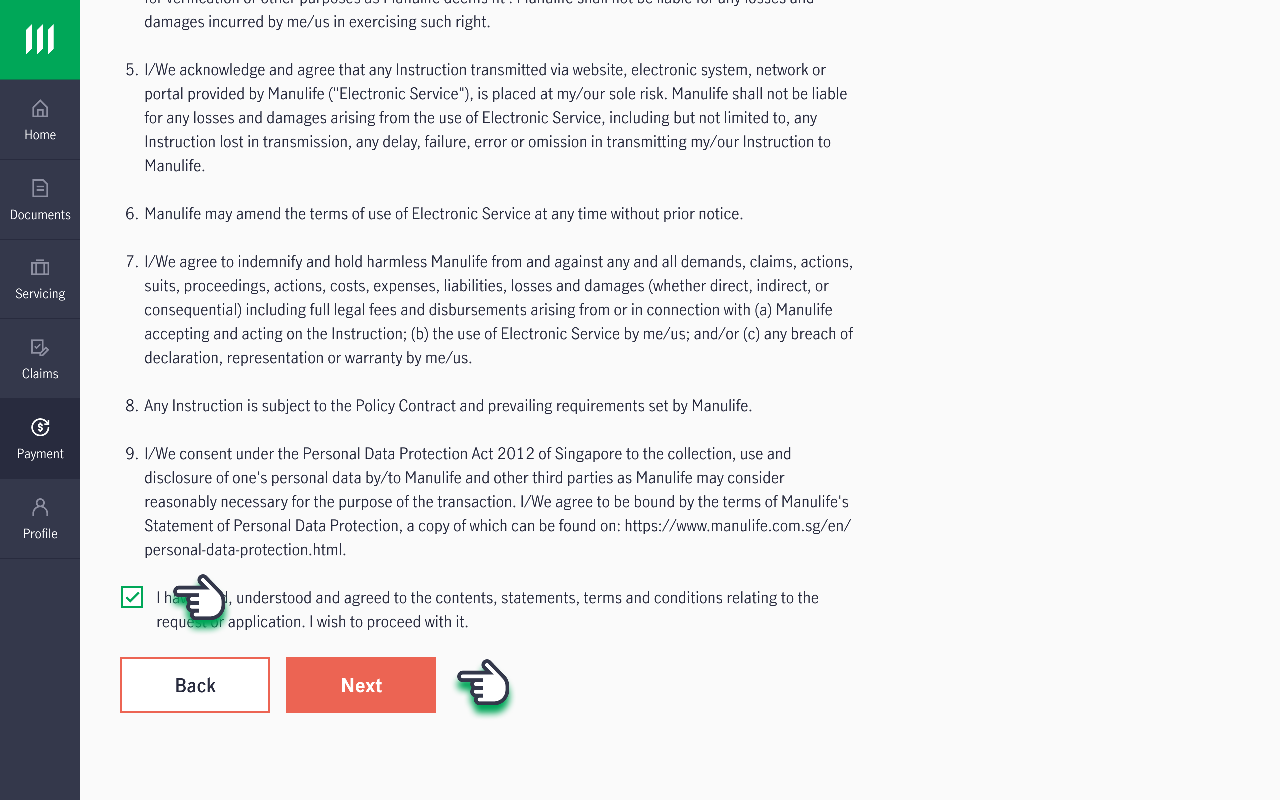
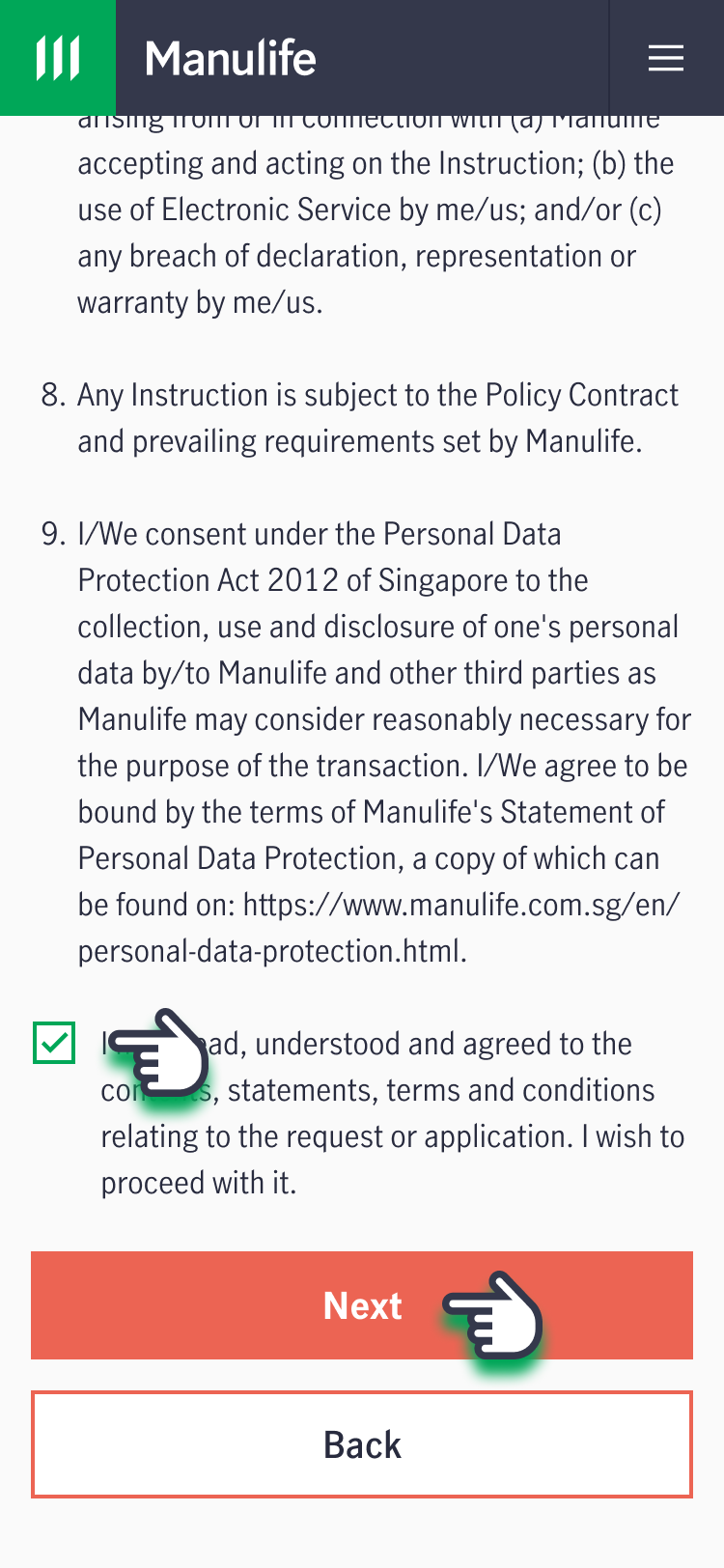
4. Read and acknowledge the Declaration, then click "Next".
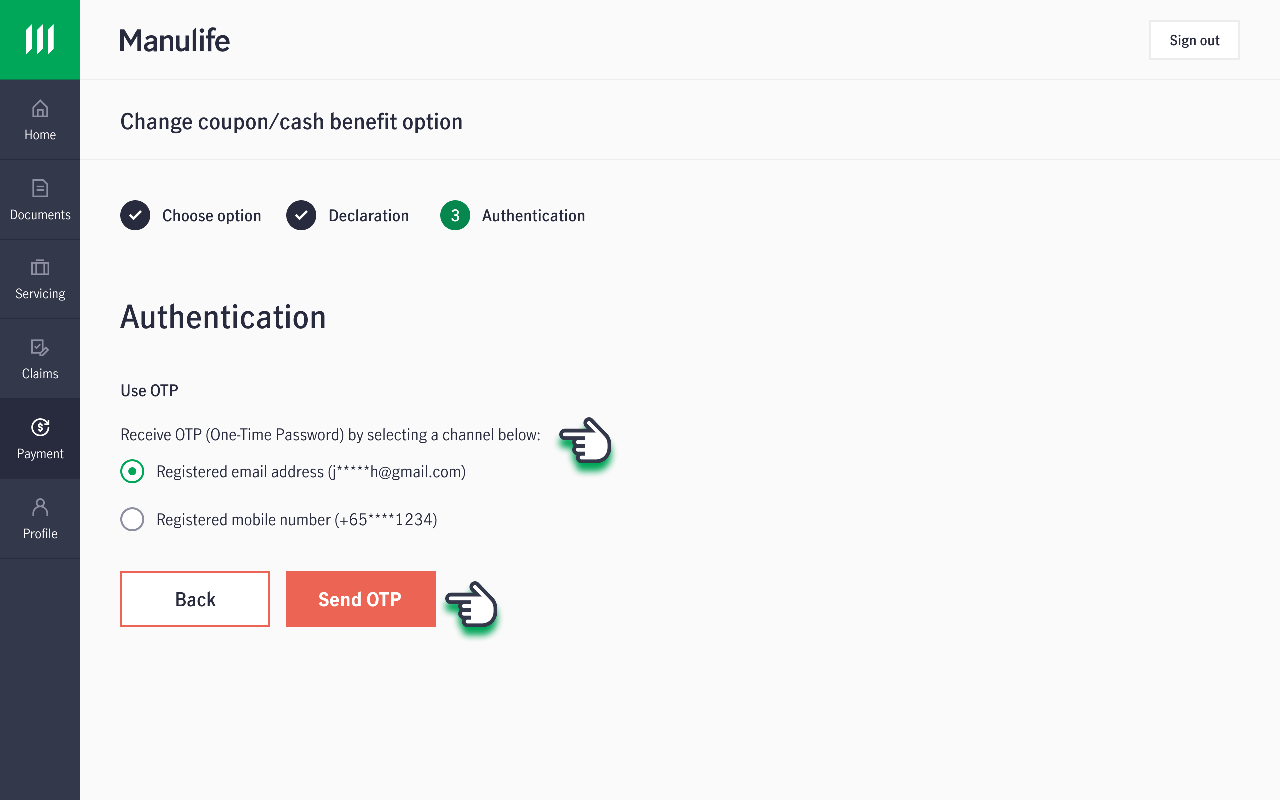
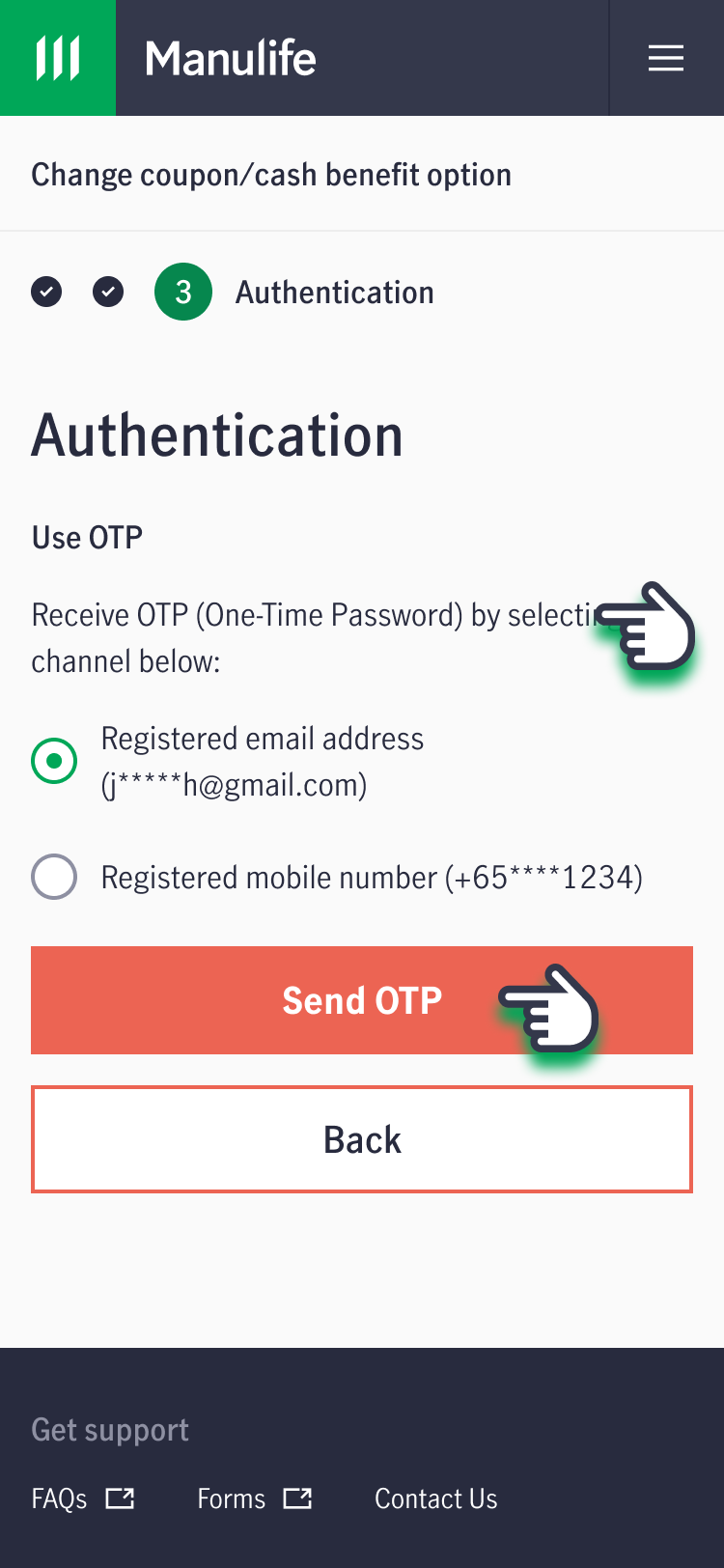
5. Select your preferred method to receive your One-Time Password (OTP).
6. Key in your OTP and click "Proceed".
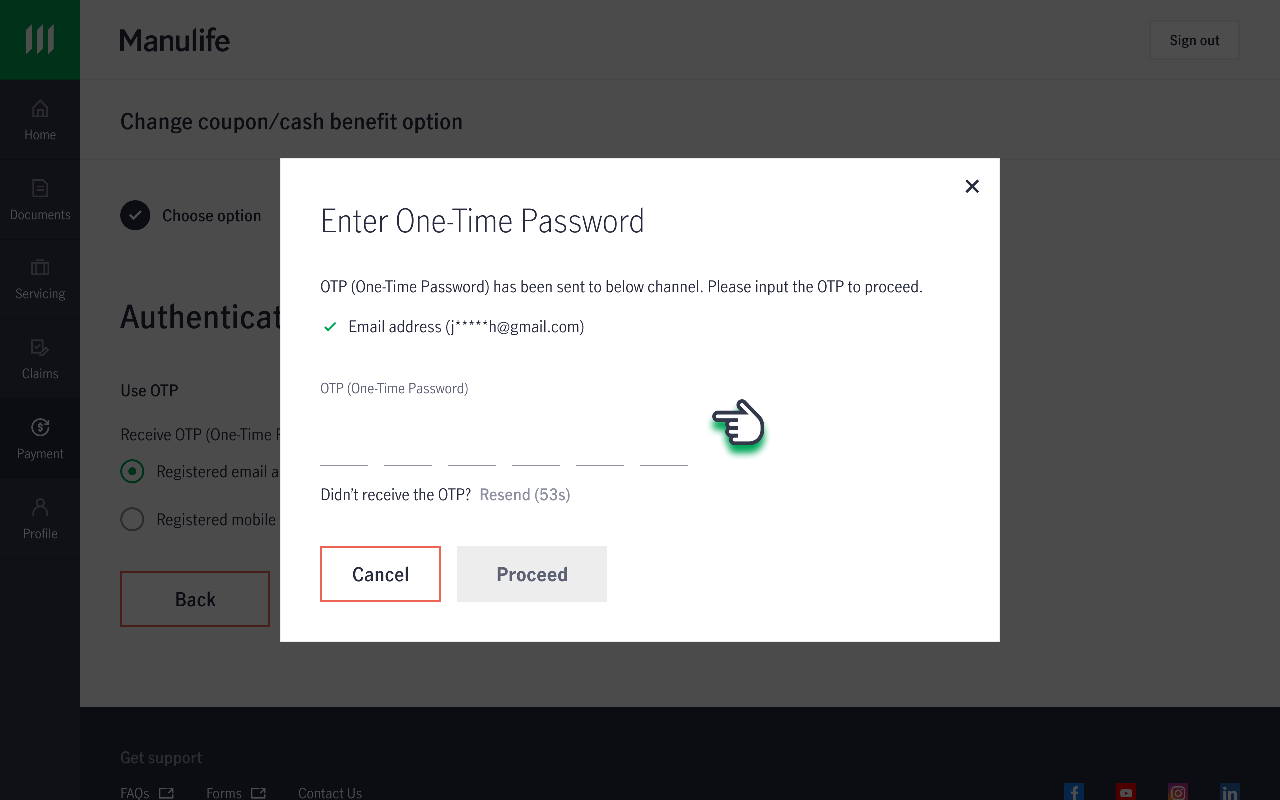
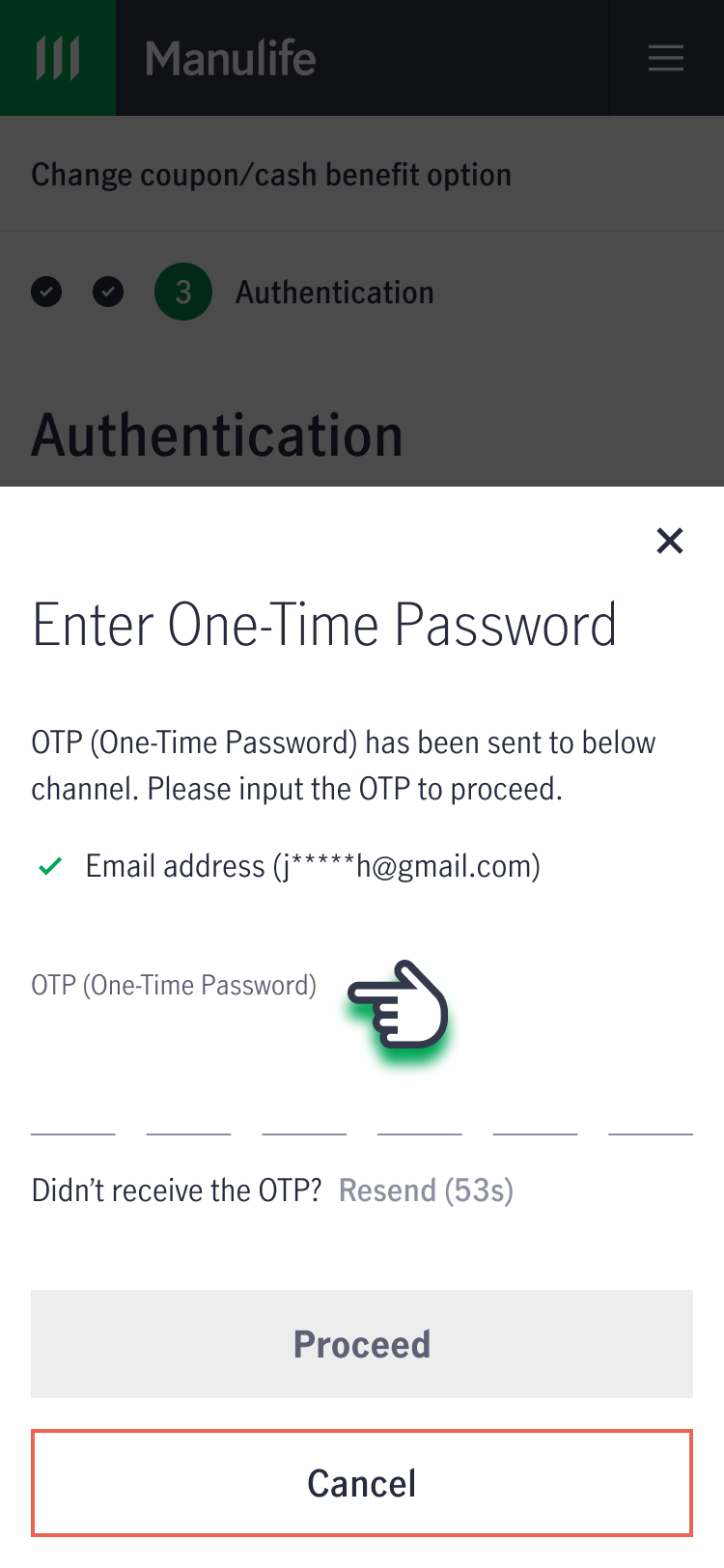
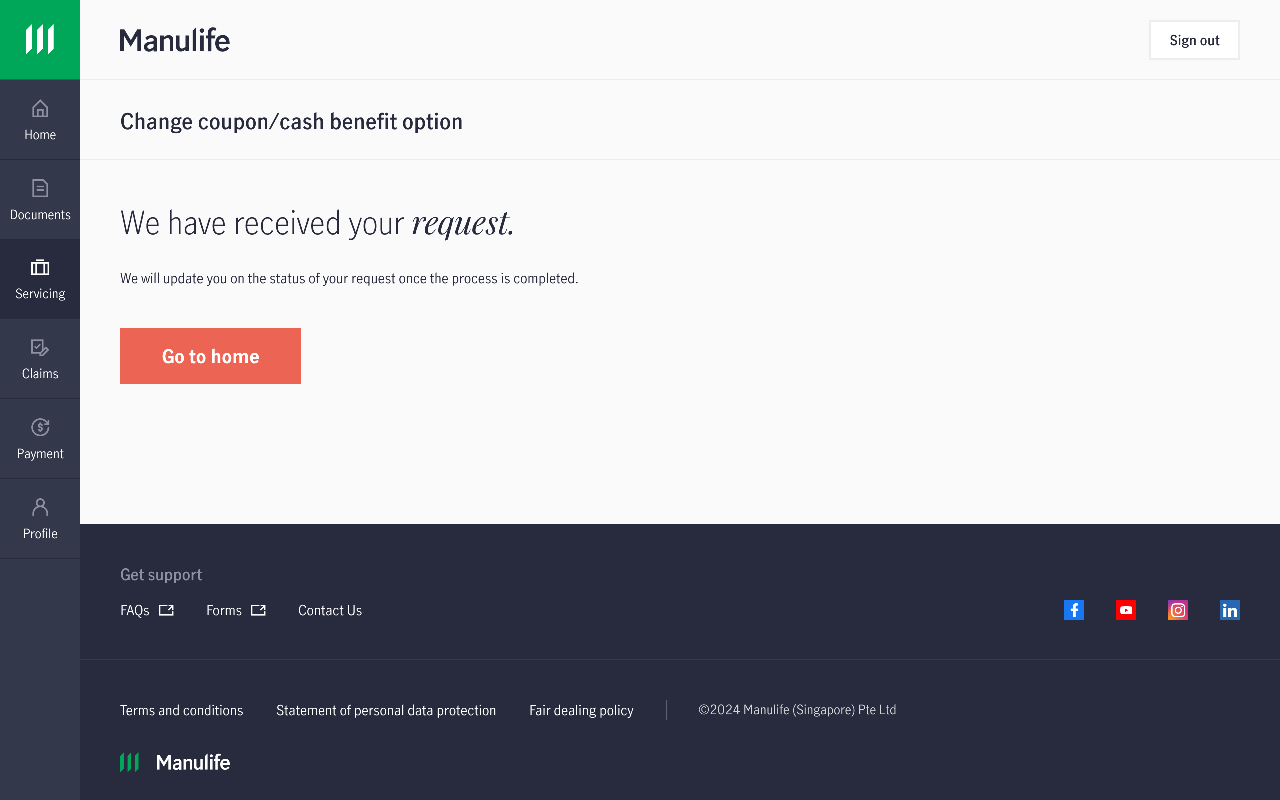
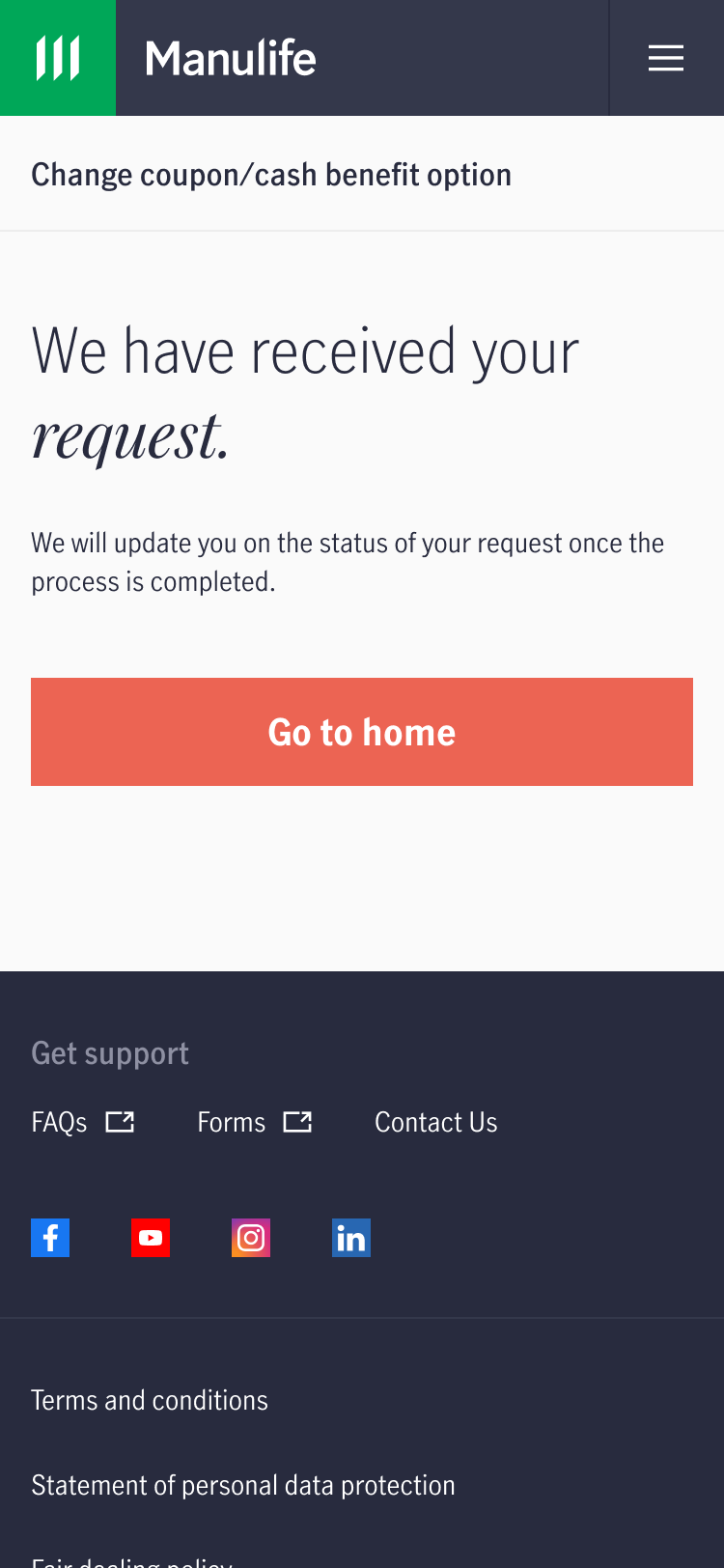
7. You will receive an immediate acknowledgement.
Change coupon/cash benefit option via form submission
- Download and complete Section 5D of the Policy Details Change Form.
- Upload the completed form, along with any supporting documents (if applicable), to our customer portal, MyManulife or via the Manulife SG App (refer to steps below).
- Alternatively, you can mail the completed original hard copy form to the following address:
Manulife (Singapore) Private Limited
8 Cross Street
#15-01 Manulife Tower
Singapore 048424
Please ensure that the form is signed in wet ink. Click here to obtain the Business Reply Envelope for your submission.
If you do not have a MyManulife account, you can easily follow the step-by-step instructions here to create your account.
How to upload form to MyManulife
1. Log into your account via MyManulife or the Manulife SG App.
2. Click on "Services".
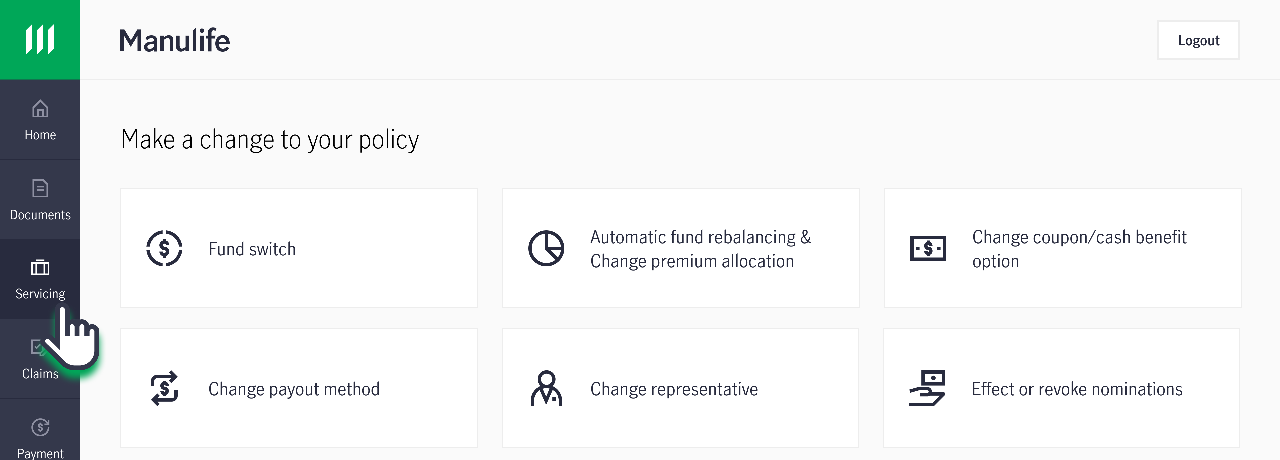
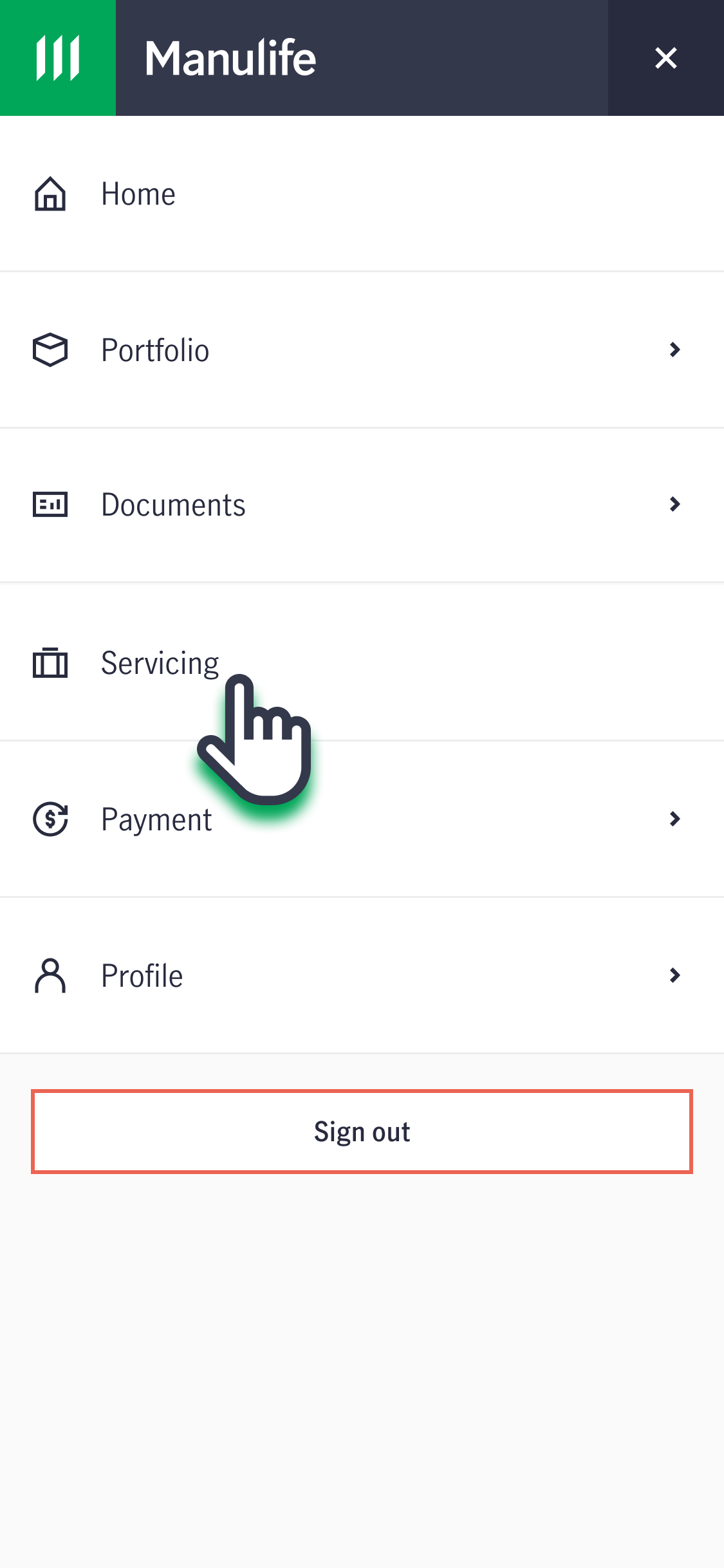
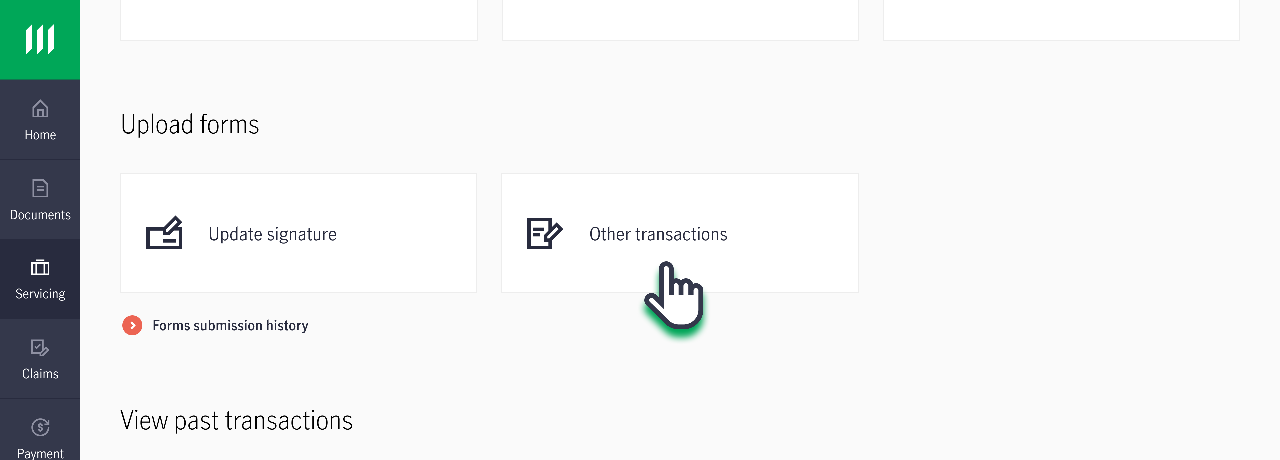
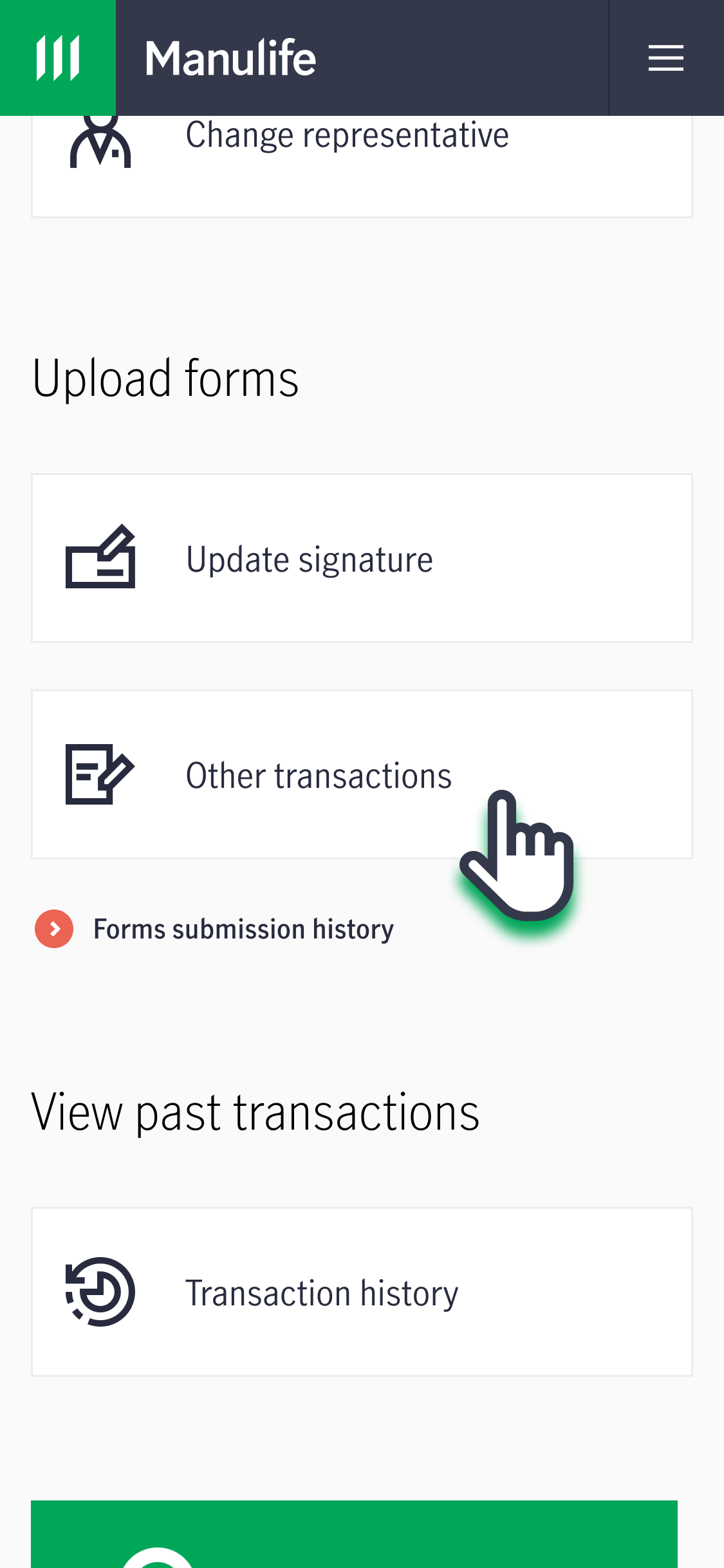
3. Under "Upload Forms", click on "Other Transactions". Follow the instructions on the page to submit the completed form.
Who will need to sign the form?
For non-trust policies:
- The Assignee or Policyowner must sign the form.
For Trust policies under Section 132 of the Insurance Act (formerly known as S49L):
- The Policyowner and any one Trustee who is not the Policyowner, or
- All Beneficiaries who are at least 18 years old must sign the form.
- If any Beneficiary is under 18 years old, a legal guardian or parent who is not the Policyholder can provide consent.
For a Trust policies under Section 73 of the Conveyancing and Law of Property Act:
- The Policyowner and all Trustees, or
- All Beneficiaries who are at least 21 years old must sign the form.
- If any Beneficiary is under 21 years old, a legal guardian or parent who is not the Policyholder can provide consent.
