


Surrender or withdraw a policy
This option allows you to surrender or withdraw a policy in full or partially. All surrender or withdrawal transactions must be submitted via our secure customer portal, MyManulife or the Manulife SG App.
What you need to know
If your policy has an accumulated cash value, you may choose to surrender it for cash. Before proceeding, please carefully consider the impact of surrendering your policy, as it may:
- Result in the loss of valuable policy benefits and coverage;
- Affect your long-term financial plans; and
- Limit your options for obtaining similar coverage on the same terms in the future.
If you wish to keep your policy but are experiencing difficulties with premium payments, we encourage you to speak with your Representative to discuss the available options.
Please note that policies with the following statuses are not eligible for online submission:
- Universal Life policies
- Policies placed under trust*
*Trust policies are policies with a trust nomination under Section 132 (formerly Section 49L) of the Insurance Act 1966 or Section 73 of the Conveyancing and Law of Property Act 1886. - Requests to transfer surrender or withdrawal proceeds from a cash-funded policy to another policy owned by the same policyholder
For these cases, please refer to the Form Submission for Policies Not Eligible for Online Submission section below.
Cancel or surrender a policy
- Log in to your account via MyManulife or the Manulife SG App.
- Click on the "Services" tab, followed by “Surrender/Withdrawal".
- Select the policy you wish to surrender. If the policy is not displayed or cannot be submitted online, please refer to “Form Submission for Policies Not Eligible for Online Submission” below.
- Under “Type of Request,” select “Full surrender/withdrawal” and provide the reason for surrendering your policy.
- Follow the on-screen instructions to complete the process. You will receive a notification once the request is processed.
Apply for partial withdrawal of an investment-linked policy
- Log in to your account via MyManulife or the Manulife SG App.
- Click on the "Services" tab, followed by “Surrender/Withdrawal".
- Select the policy you wish to withdraw from. If the policy is not displayed or cannot be submitted online, please refer to “Form Submission for Policies Not Eligible for Online Submission” below.
- Under “Type of Request,” select “Partial withdrawal” and provide the reason for withdrawing from your policy.
- Follow the on-screen instructions to complete the process. You will receive a notification once the request is processed.
Form Submission for Policies Not Eligible for Online Submission
This applies to:
- Universal Life policies
- Policies placed under trust*
*Trust policies are policies with a trust nomination under Section 132 (formerly Section 49L) of the Insurance Act 1966 or Section 73 of the Conveyancing and Law of Property Act 1886. - Policies that are currently on hold
- Requests to transfer surrender or withdrawal proceeds from a cash-funded policy to another policy owned by the same policyholder
1. Download and complete the Surrender/Withdrawal Form.
- If you would like the proceeds to be transferred to another policy you own, please provide the transfer instructions in Section 5 of the form.
- For High‑Net‑Worth policies, such as the Manulife Signature series and Variable Universal Life plans, please click here and refer to the “High net worth policy matters” section to download the relevant form.
2. Mail the completed original hard copy form to the following address:
Manulife (Singapore) Private Limited
8 Cross Street
#15-01 Manulife Tower
Singapore 048424
Please ensure that the form is signed in wet ink. Click here to obtain the Business Reply Envelope for your submission.
How to upload form to MyManulife
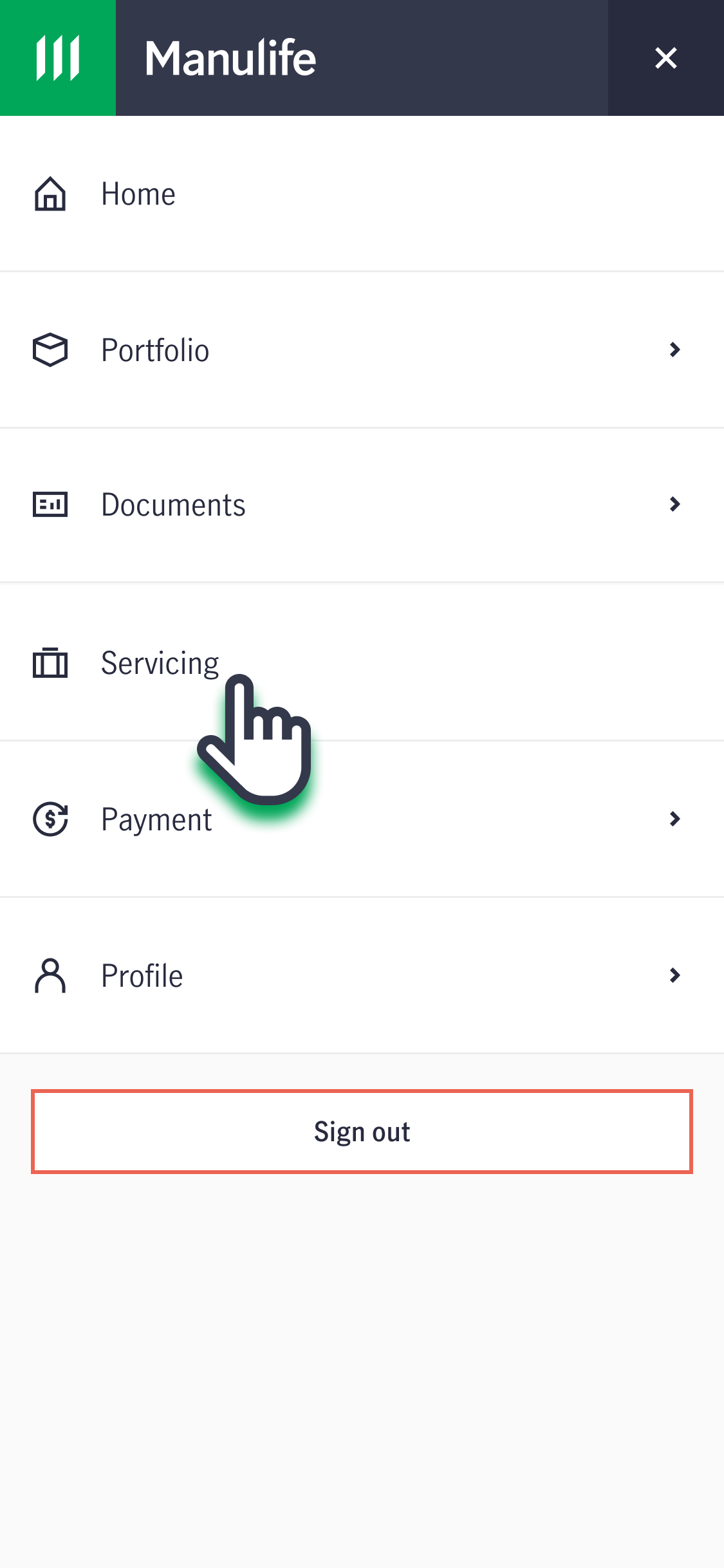
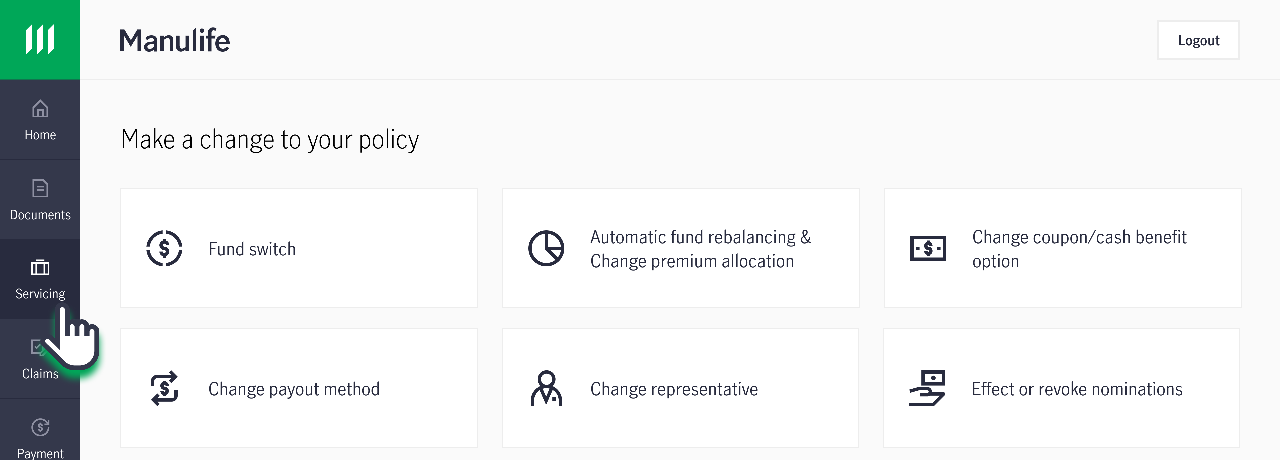
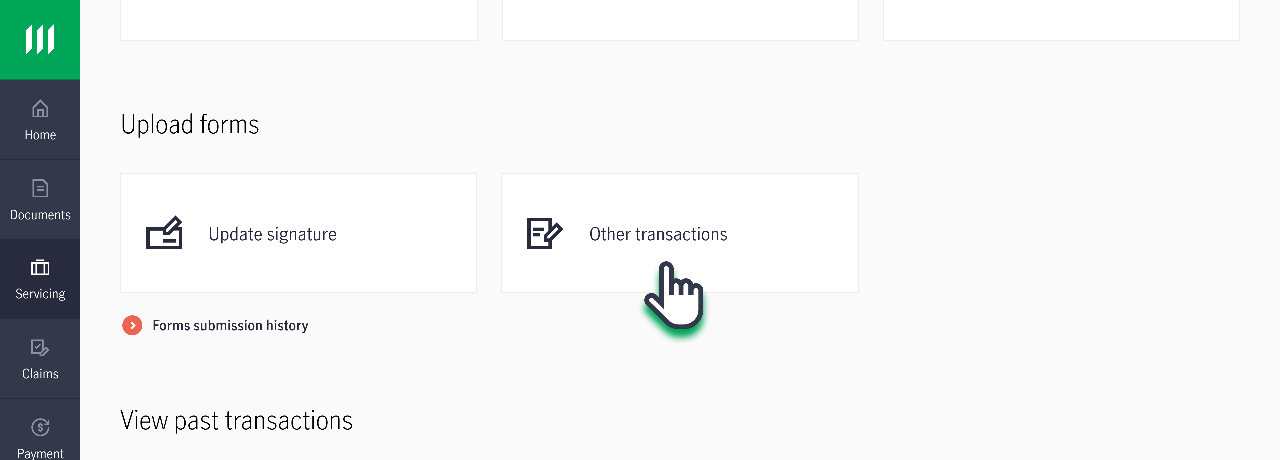
1. Log in to your account via MyManulife or the Manulife SG App.
2. Click on "Servicing".
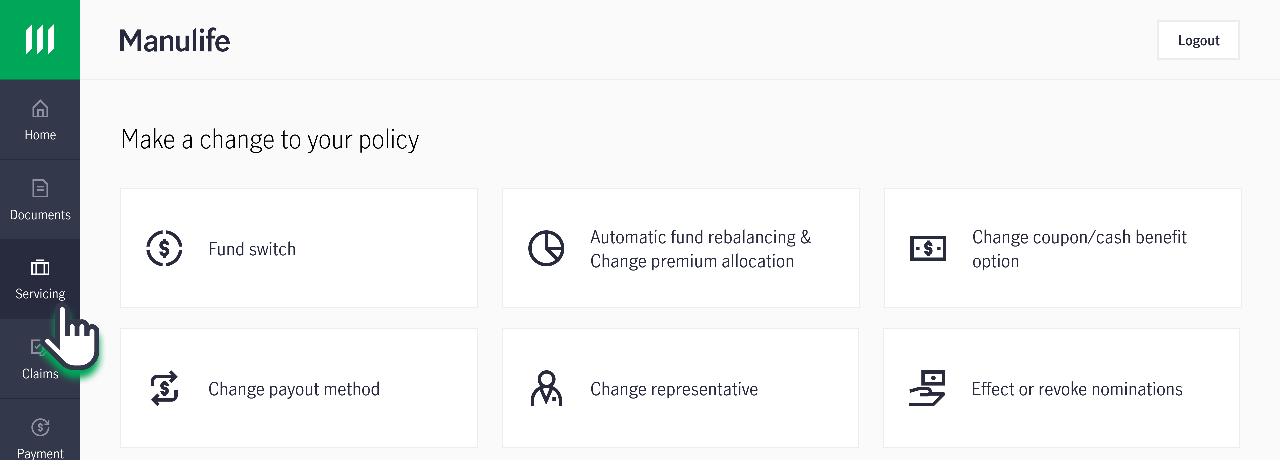
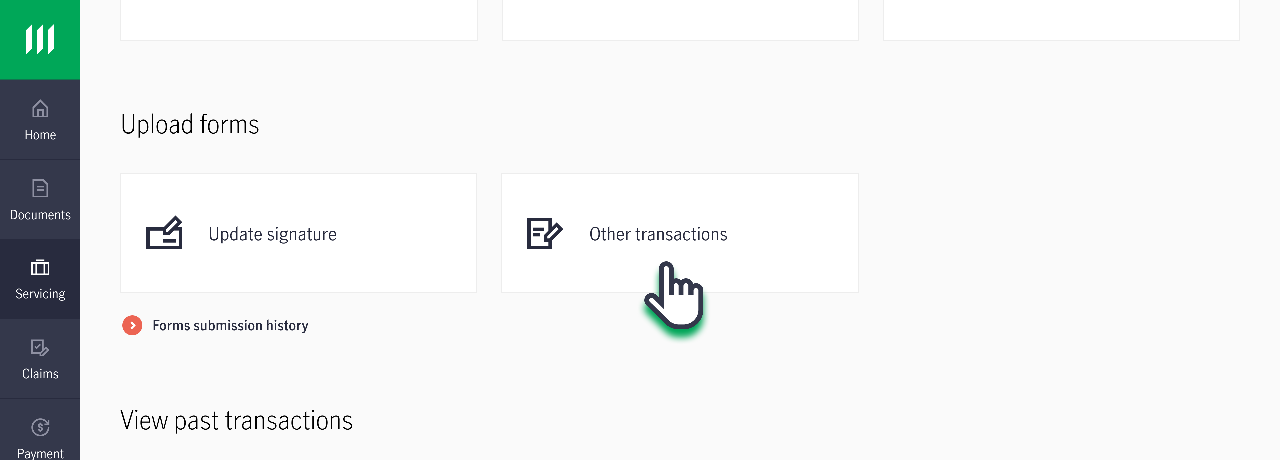
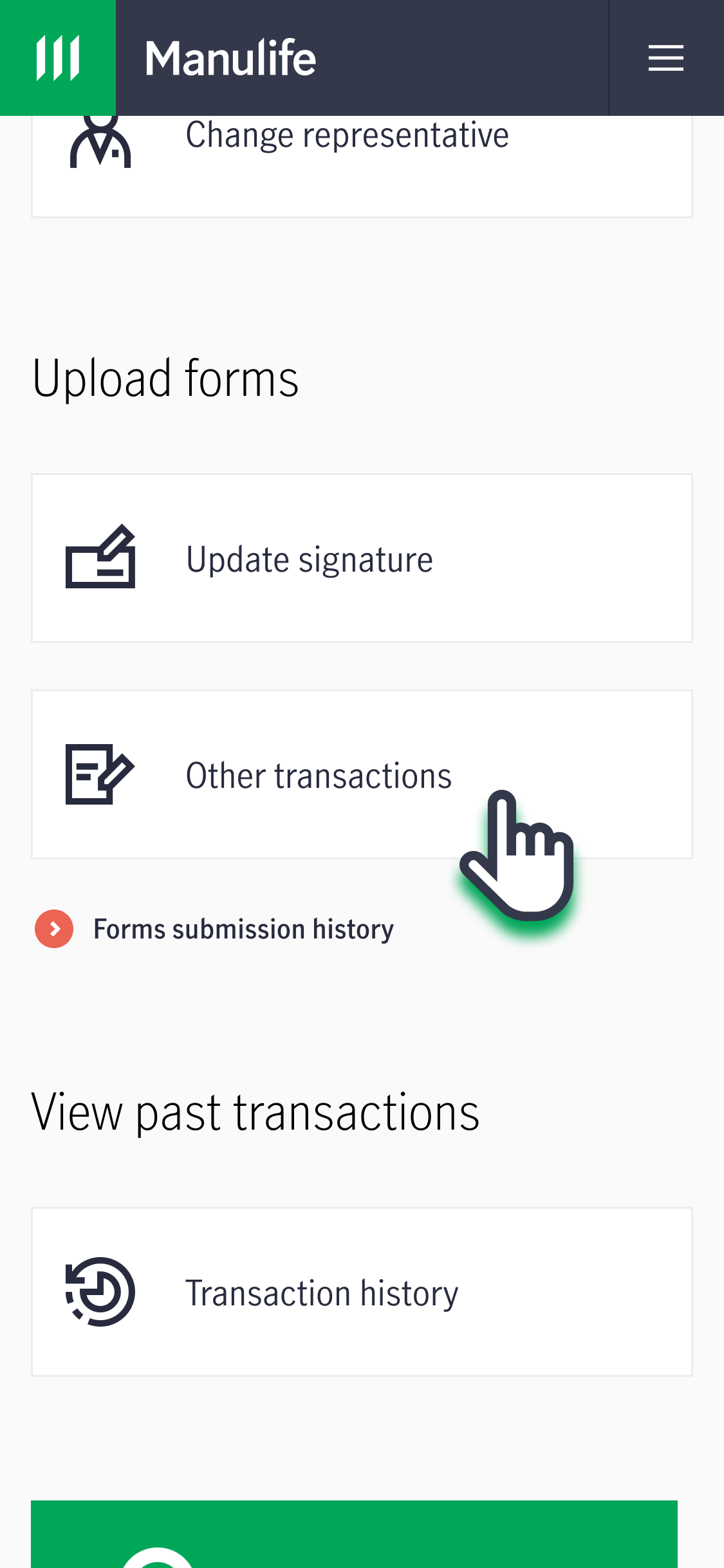
3. Under "Upload Forms", click on "Other Transactions". Follow the instructions on the page to submit the completed form.
For full surrender of investment-linked policies
Approach your Representative who will be able to assist you on this matter.
For termination of policies during freelook period
Approach your Representative who will be able to assist you on this matter. The refund process will take 5-10 Business days after we receive your request.
- For non-investment linked policy
We will refund 100% of the premium without interest, less any medical and other expenses incurred by Manulife.
- For investment linked policy
We will refund the market value of the investment units of the policy, less any medical, welcome bonus (if applicable) and other expenses incurred by Manulife.
If you do not have a Representative, or if your policy has a trust arrangement, you may submit the request via the Contact Us form.
How do I check my surrender value?
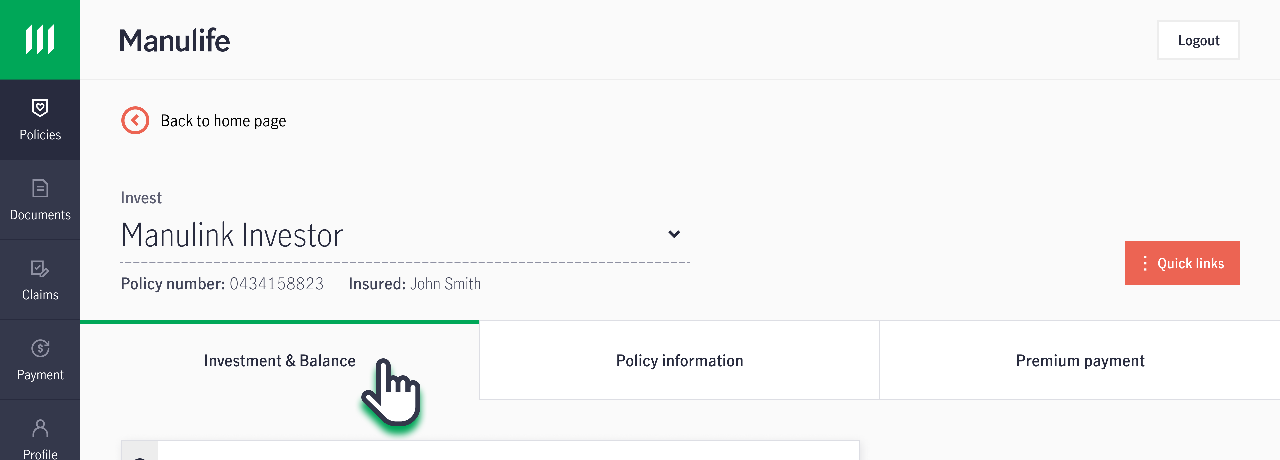
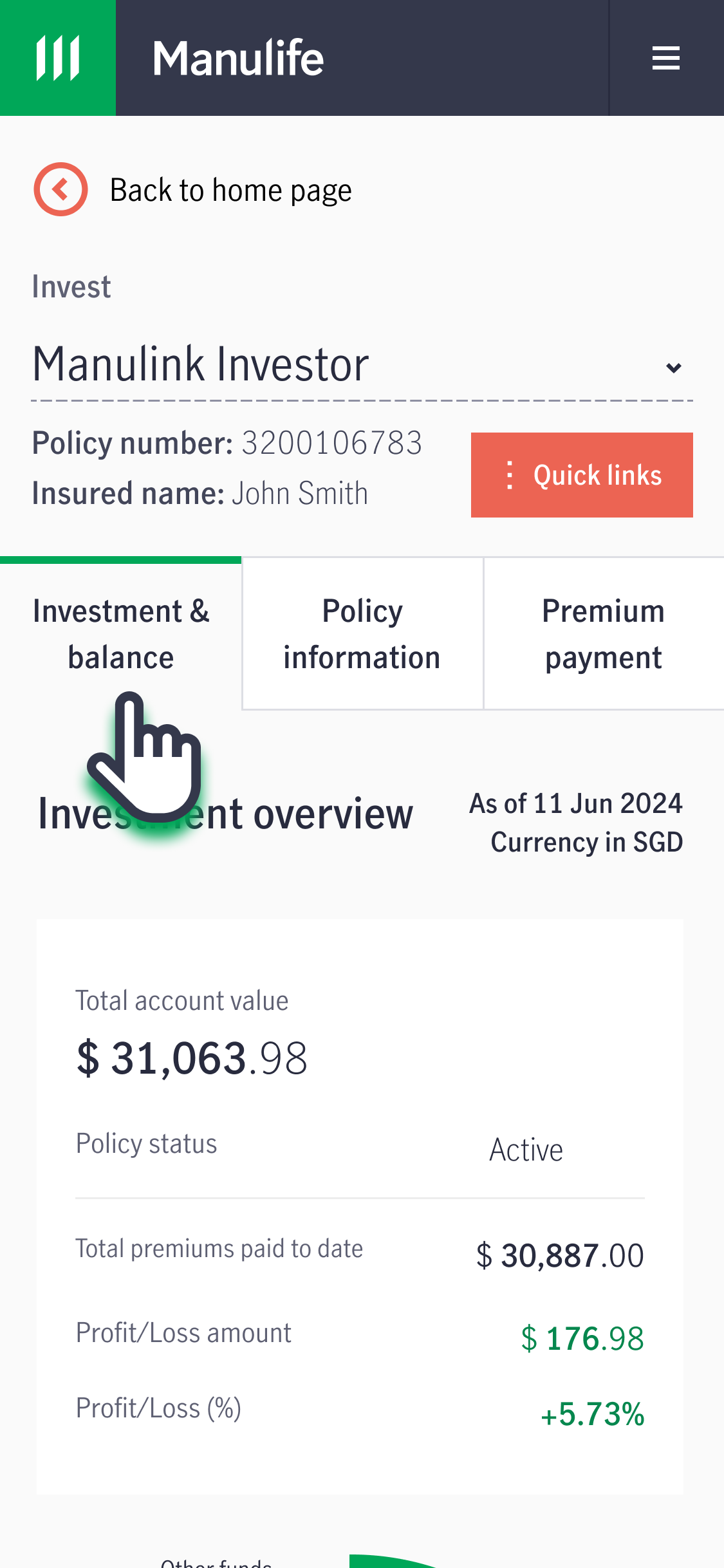
1. Log in to your account via MyManulife or the Manulife SG App.
2. Select the relevant policy from the dashboard.
For non-investment linked policies
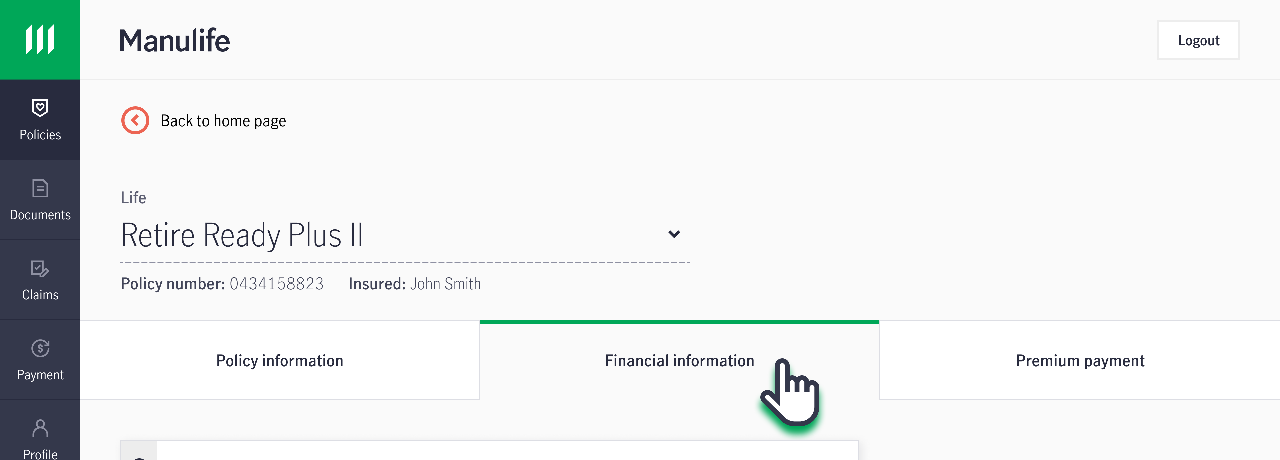
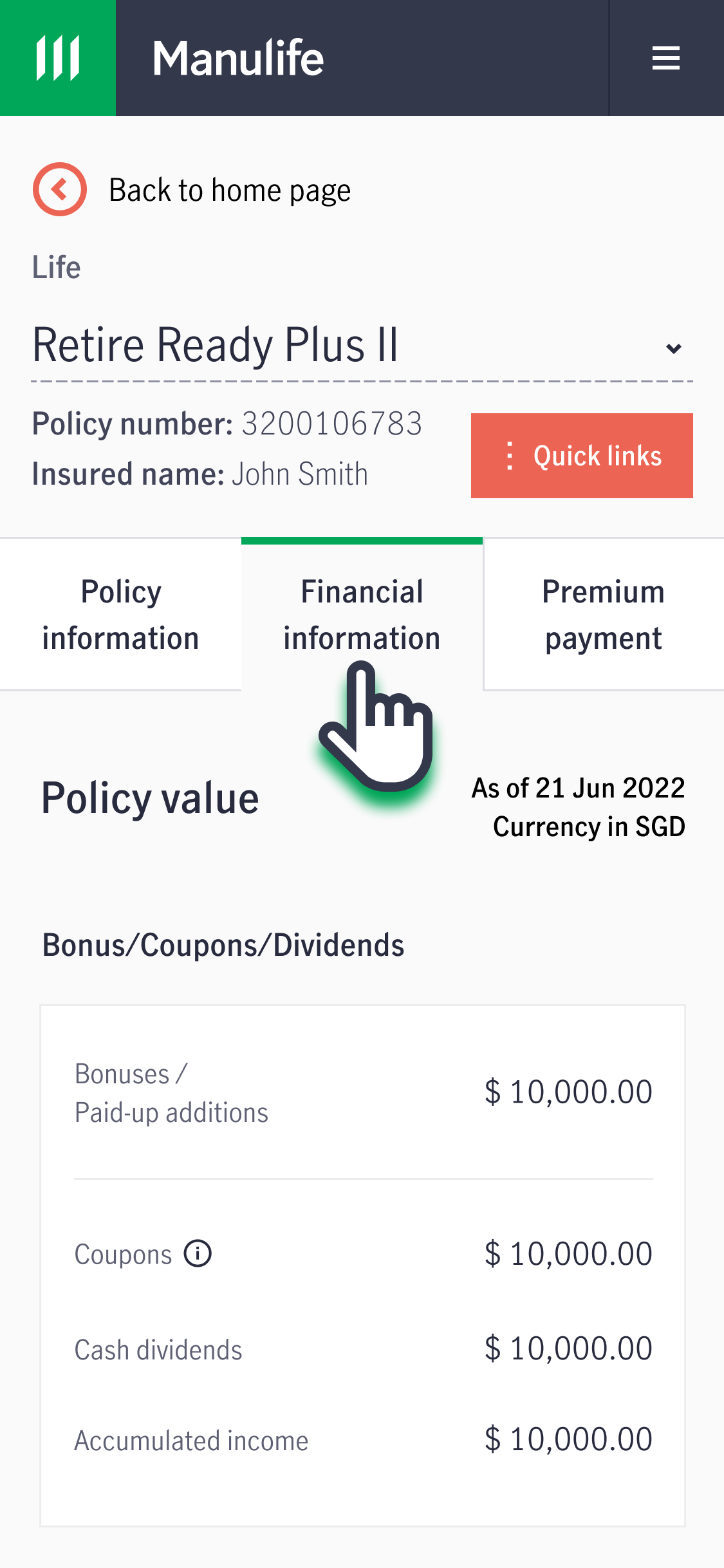
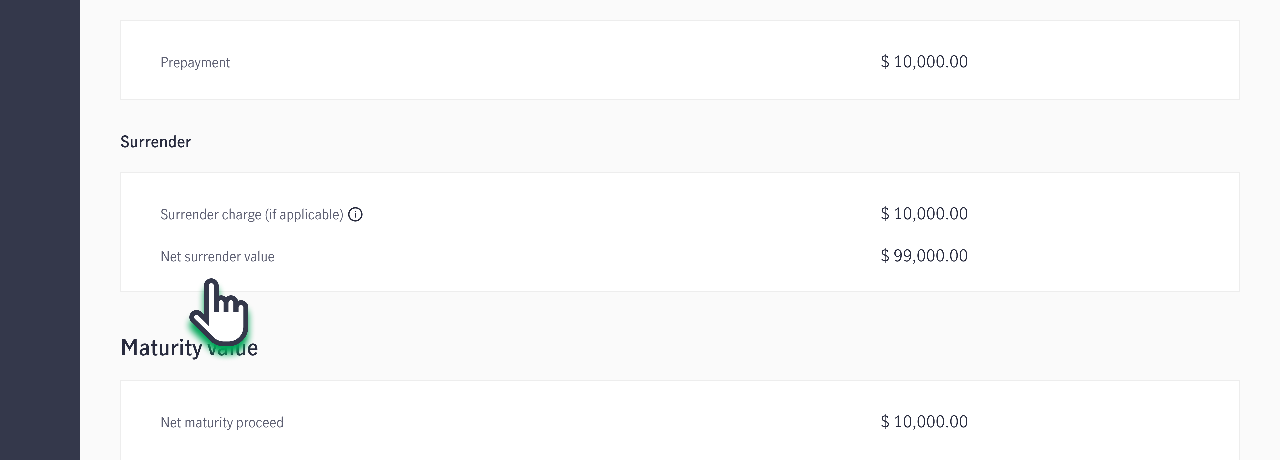
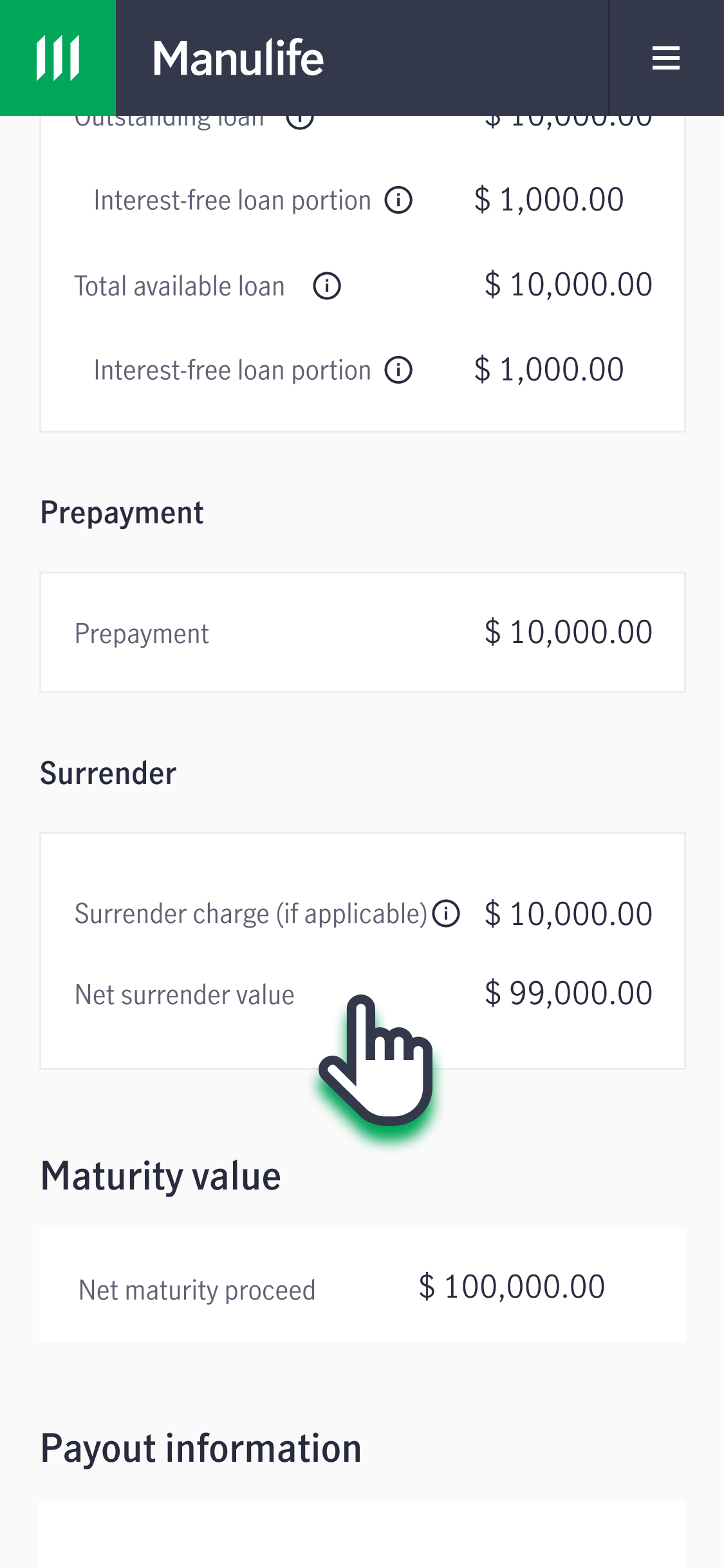
3. Under the "Financial information" tab, scroll to the bottom of the page. Find the Net Surrender Value under "Surrender" or "Net surrender value".
For investment linked policies
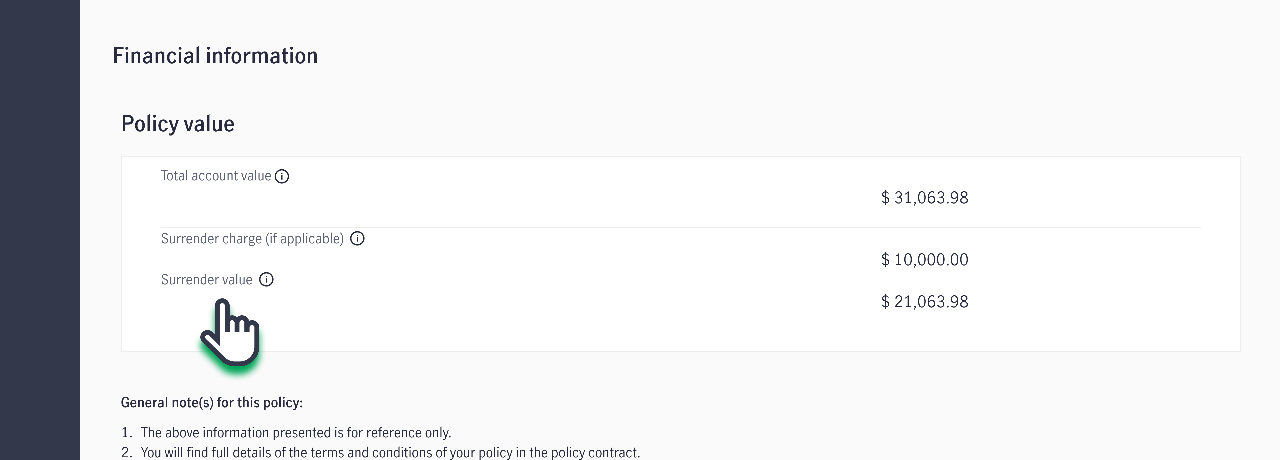
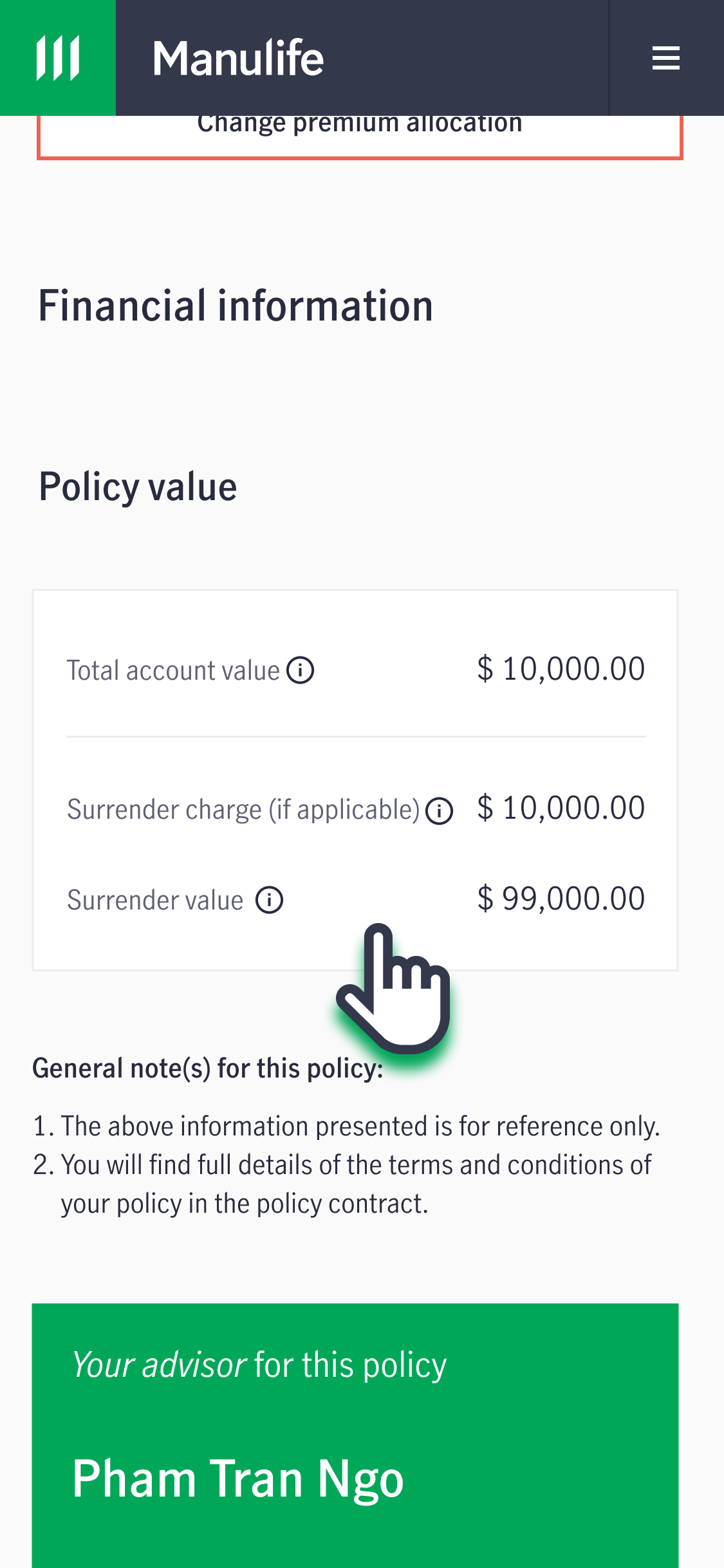
3. Under the "Investment & Balance" tab, scroll to the bottom of the page. Find the Surrender Value under "Financial Information".
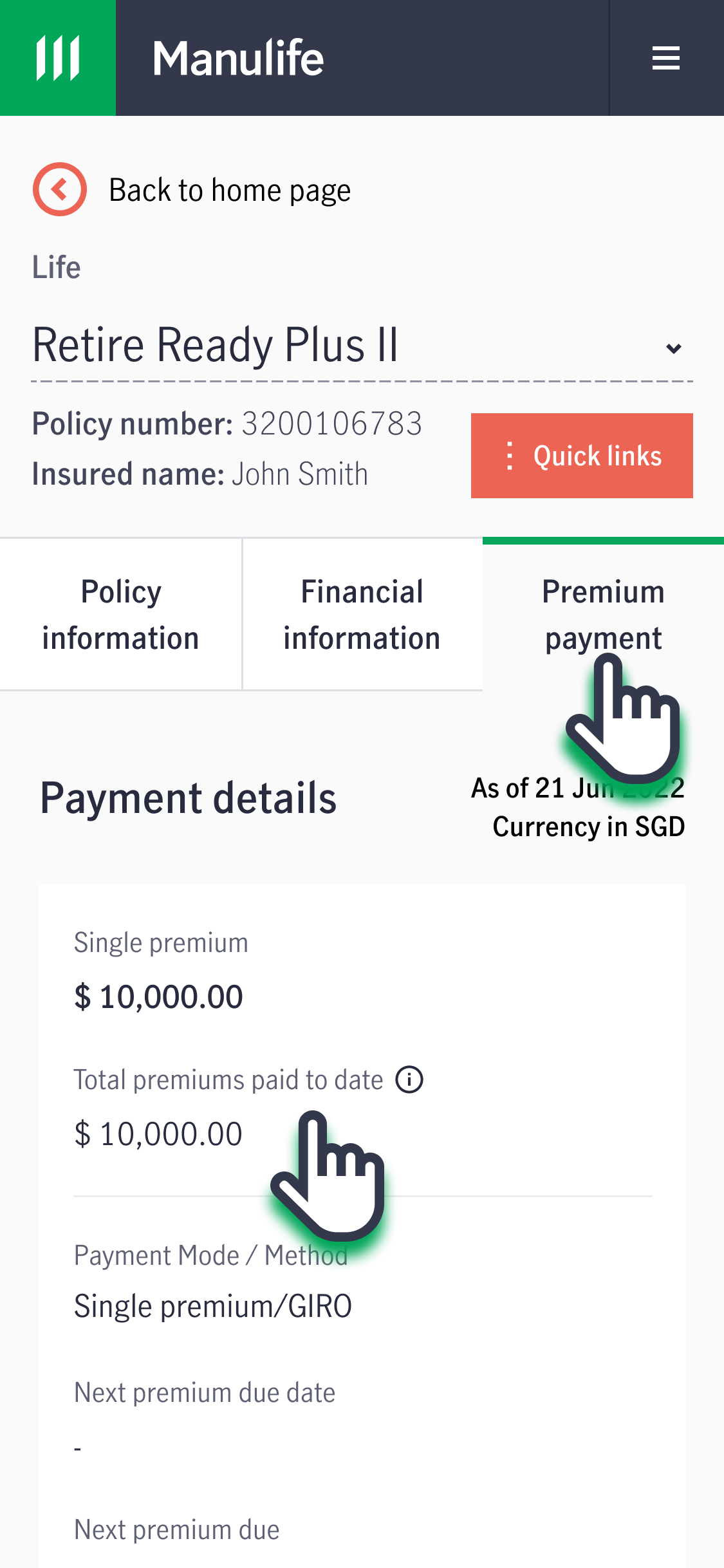
1. Log in to your account via MyManulife or via the Manulife SG App.
2. Select the relevant policy from the dashboard.
3. Under the "Premium payment" tab, find the Total premiums paid to date under "Premium details".

When will I receive my payout if I surrender or make a partial withdrawal from my policy?
Processing time (excluding payout disbursement):
For requests received before 3pm, processing will take an additional 3 business days.
For requests received after 3pm, processing will take an additional 4 business days.
Note:
Please note that if your policy is subject to any ongoing internal activities, including but not limited to fund holidays, monthiversary processing, or pending fund transactions that have not been completed, the processing of your request will be deferred until such activities have been completed.
In such cases, your request will be deemed to have been received on the first business day following such completion of the relevant activities, and the applicable fund price will be determined on that basis.
Payout Disbursement Timeline
Once your surrender/partial withdrawal request is processed, additional time is needed to arrange the payout based on your chosen payout method:
Payout Methods
- PayNow‑NRIC/FIN
- S$200,000 and below: Up to 1 business day
- Above S$200,000: 3 business days
- Electronic Fund Transfer (EFT): 3 business days
- Telegraphic Transfer (TT): 3 business days
- CPF OA/SRS: 2 business days
- CPF SA: 1 business day
Notes:
- For CPF OA/SRS Policies: The amount will be credited to your investment account with your agent bank. Please contact your agent bank for payout details after the processing period.
- For CPF SA Policies: The amount will be credited to the CPF Board. You may contact the CPF Board for assistance.
Manulife Singapore has discontinued the issuance of cheques for payouts relating to Singapore Dollar (SGD)-denominated policies. To avoid delays in receiving your payouts, please update your payout method to one of our secure and convenient digital payment options.
To register for PayNow or Electronic Fund Transfer (EFT), please click here.
Processing & Payout Disbursement Timeline (before 3pm)
Example
| Description | Day | Remark |
| Request received | Monday | Surrender request received before 3pm |
| Processing completed | Thursday | 3 business days after request received |
Payout via PayNow (S$200,000 and below) | Thursday | Same day as process completion |
Payout via PayNow (above S$200,000) | Following Tuesday | 3 additional business days after Thursday |
| Payout via EFT | Following Tuesday | 3 additional business days after Thursday |
| All other payout methods | Please add additional business days for payout distribution | |
How do I terminate riders or supplementary benefits?
You may wish to get in touch with your Representative to discuss the options for your policy.
1. If you would like to apply for changes to your rider or supplementary benefit, please download and complete Section 5A of the Policy Details Change form.
2. Upload the completed form, along with any supporting documents (if applicable), to our customer portal, MyManulife or via the Manulife SG App (refer to steps below).
3. Alternatively, you can mail the completed original hard copy form to the following address:
Manulife (Singapore) Private Limited
8 Cross Street
#15-01 Manulife Tower
Singapore 048424
Please ensure that the form is signed in wet ink. Click here to obtain the Business Reply Envelope for your submission.
If you do not have a MyManulife account, you can easily follow the step-by-step instructions here to create your account.
3. Under "Upload Forms", click on "Other Transactions". Follow the instructions on the page to submit the completed form.
How do I find my servicing Representative?
1. Log in to your account via MyManulife or the Manulife SG App.
2. Click on "Policies" and select the relevant policy.
3. Under the "Policy Information" tab, scroll to the bottom of the page to check the servicing Representative for your policy.
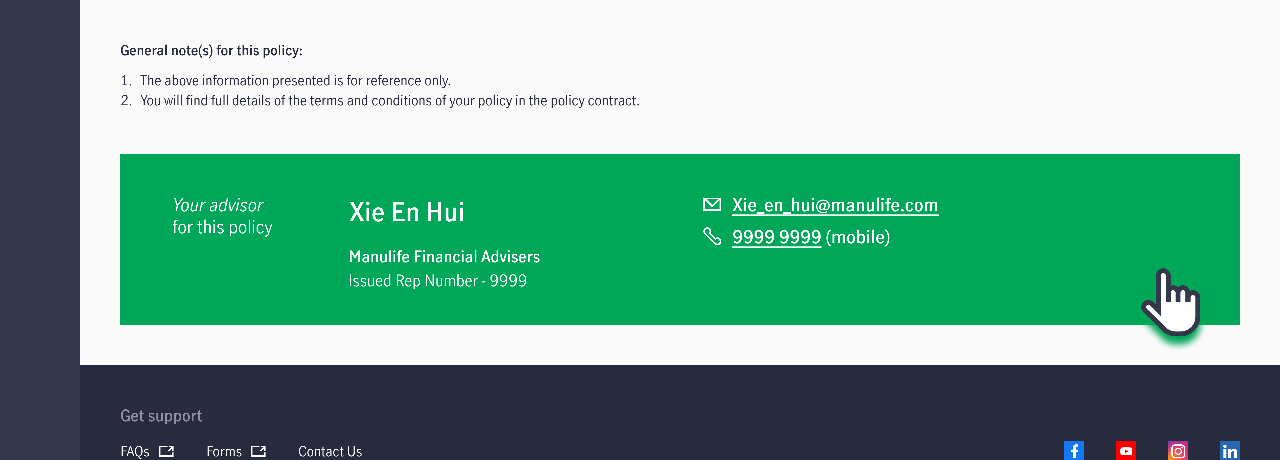
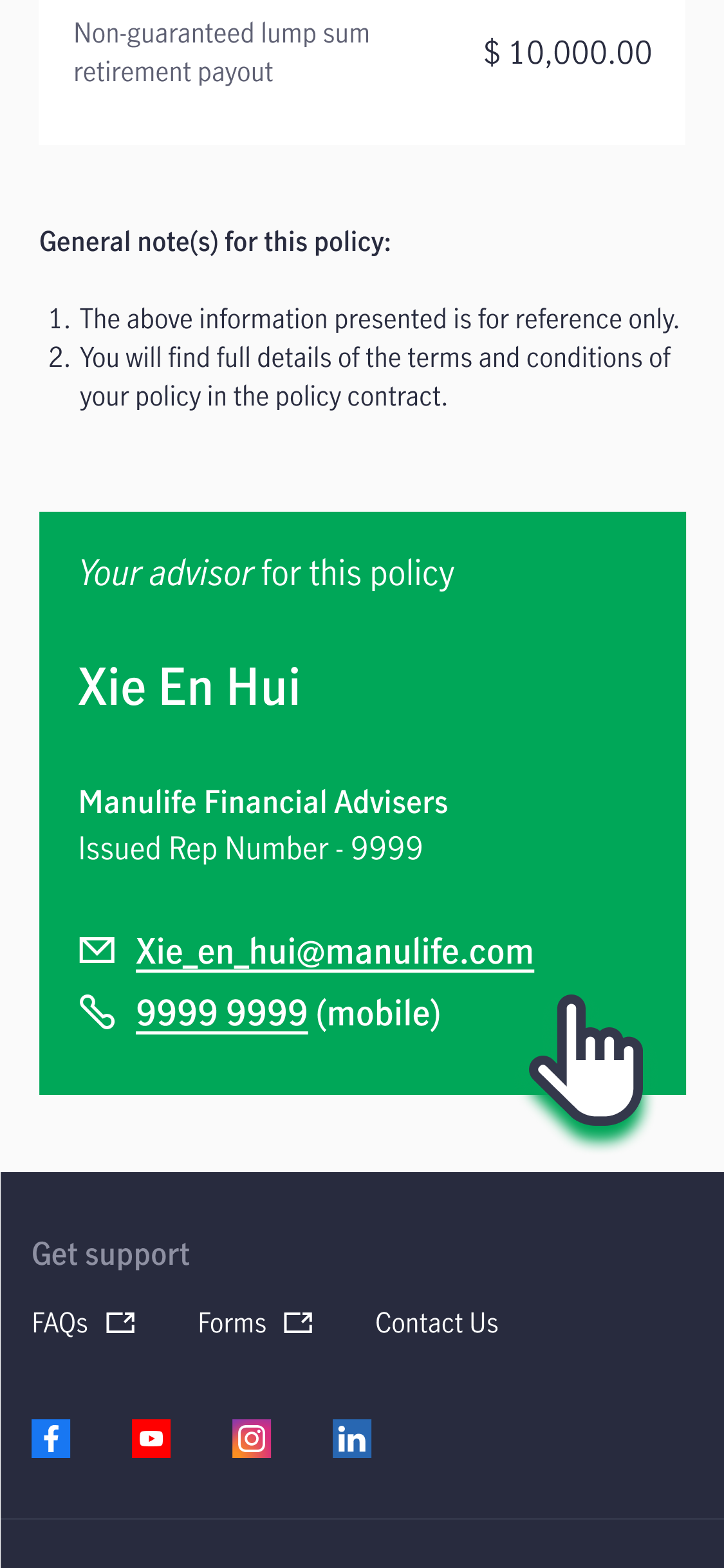
If your policy does not have any assigned Representative, you may contact us via the Contact Us form.
How do I request for surrender or partial withdrawal if I do not have a Representative or if my policy has a trust arrangement?
If you do not have a Representative or if your policy has a trust arrangement, you may submit the request via the Contact Us form.
Who will need to sign the form?
This applies to policies with the following requests or statuses, which are not eligible for online submission:
- Universal Life policies
- Policies placed under trust*
*Trust policies are policies with a trust nomination under Section 132 (formerly Section 49L) of the Insurance Act 1966 or Section 73 of the Conveyancing and Law of Property Act 1886. - Policies that are currently on hold
- Requests to transfer surrender or withdrawal proceeds from a cash-funded policy to another policy owned by the same policyholder
For non-trust policies:
- The Assignee or Policyowner must sign the form.
For Trust policies under Section 132 of the Insurance Act (formerly known as S49L):
- The Policyowner and any one Trustee who is not the Policyowner, or
- All Beneficiaries who are at least 18 years old must sign the form.
- If any Beneficiary is under 18 years old, a legal guardian or parent who is not the Policyholder can provide consent.
For a Trust policies under Section 73 of the Conveyancing and Law of Property Act:
- The Policyowner and all Trustees, or
- All Beneficiaries who are at least 21 years old must sign the form.
- If any Beneficiary is under 21 years old, a legal guardian or parent who is not the Policyholder can provide consent.
To whom will the payment be made?
For non-trust policies:
Cash-funded policy – proceeds will be paid directly to the Assignee/Policyowner through PayNow, Electronic Fund Transfer (EFT) or Telegraphic Transfer (TT).
CPF Ordinary Account (OA) / Supplementary Retirement Scheme (SRS) funded policy - proceeds will be paid to the agent bank.
CPF Special Account (SA) - proceeds will be paid to CPF Board.
For Trust policy under Section 132 of the Insurance Act (formerly known as S49L):
Payment can be made to any one Trustee who is not the Policyowner, or to all Beneficiaries who are at least 18 years old.
If any Beneficiary is under 18 years old, payment will be made to the legal guardian/ parent of the Beneficiary who is not the Policy Owner.
For Trust policy under Section 73 of the Conveyancing and Law of Property Act:
Payment can be made all Trustees, or to all Beneficiaries who are at least 21 years old.
If any Beneficiary is under 21 years old, payment will be made to the legal guardian/ parent of the Beneficiary who is not the Policy Owner.
